AI Tools You Can't Ignore in 2026 If You Want to Work Faster
Discover the essential AI tools dominating 2026 that will transform your productivity. From ChatGPT to Cursor, learn which tools will help you work faster and smarter.

In 2026, the software development landscape has fundamentally transformed from AI-assisted coding to Agentic Engineering. Developers no longer simply use tools to autocomplete lines of code or suggest function names. Instead, they manage fleets of AI agents capable of handling end-to-end tasks including migrations, documentation generation, autonomous bug fixing, and even feature implementation.
This paradigm shift means developers have evolved from writing every line of code themselves to orchestrating AI agents that handle routine implementation while humans focus on architecture, product decisions, and complex problem-solving. The most productive developers in 2026 aren't necessarily those who code fastest—they're those who most effectively direct and coordinate their AI agent teams.
The developers thriving in 2026 understand that their role has shifted from implementation to architecture and orchestration.
The journey from simple code completion to autonomous engineering agents represents one of the most rapid transformations in software development history. Early AI coding assistants could suggest the next line based on context. Current agentic systems can understand entire codebases, reason about architectural decisions, implement multi-file features, write comprehensive tests, and deploy to production.
This evolution changes the fundamental nature of software development work. Instead of spending hours implementing features you've already designed, you describe what you want and review what the agents produce. Instead of manually writing test cases, you verify that AI-generated tests cover the scenarios that matter. Instead of personally migrating legacy code, you oversee agents doing the tedious work while you focus on business logic.
The developers thriving in this new paradigm understand that their role has shifted from implementation to architecture and orchestration. They know how to effectively communicate requirements to AI agents, how to review AI-generated code efficiently, and how to integrate multiple specialized agents into coherent workflows.
Cursor : The Project-Aware IDE
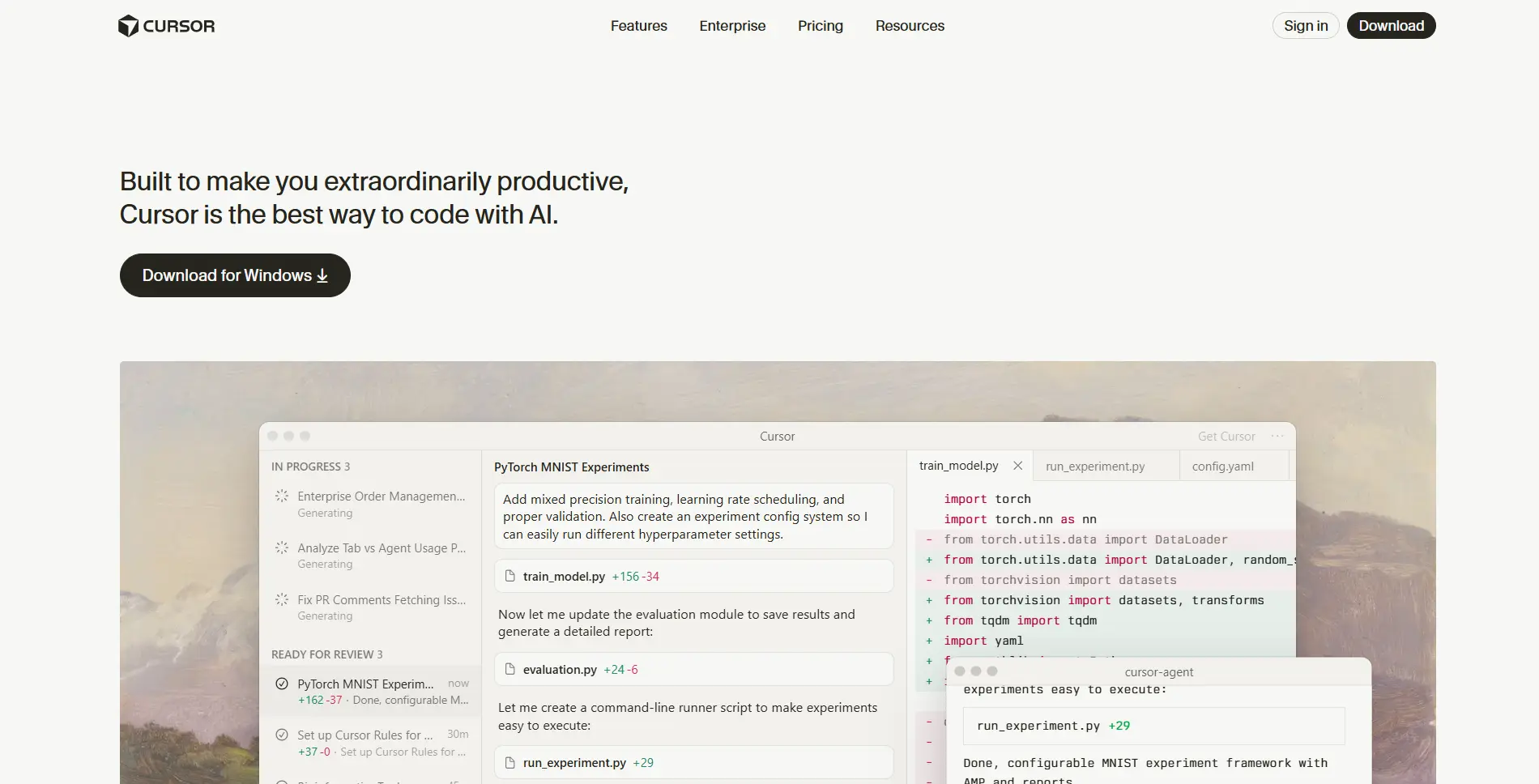
Cursor has emerged as the most popular development environment for 2026, not merely as a VS Code plugin but as a complete fork that fundamentally rethinks how developers interact with their codebase. The tool indexes your entire project, understanding not just individual files but the relationships, dependencies, and patterns across your entire application.
The standout feature for 2026 is Composer Mode, which represents a quantum leap in development capability. You can describe a multi-file feature in natural language—"Add user authentication with email verification and password reset functionality"—and Cursor will simultaneously write the frontend components, backend API endpoints, database migrations, and even update documentation.
This multi-file awareness means Cursor understands that adding a new API endpoint requires updating route definitions, creating controller logic, adding database queries, implementing error handling, writing tests, and updating API documentation. It handles all of these related changes coherently, maintaining consistency across your stack.
For developers building full-stack applications, Cursor eliminates the context switching between frontend and backend. You describe what you want at the feature level, and Cursor implements it across your entire stack, allowing you to focus on product decisions rather than implementation details.
Windsurf : Flow-Aware Development Agent
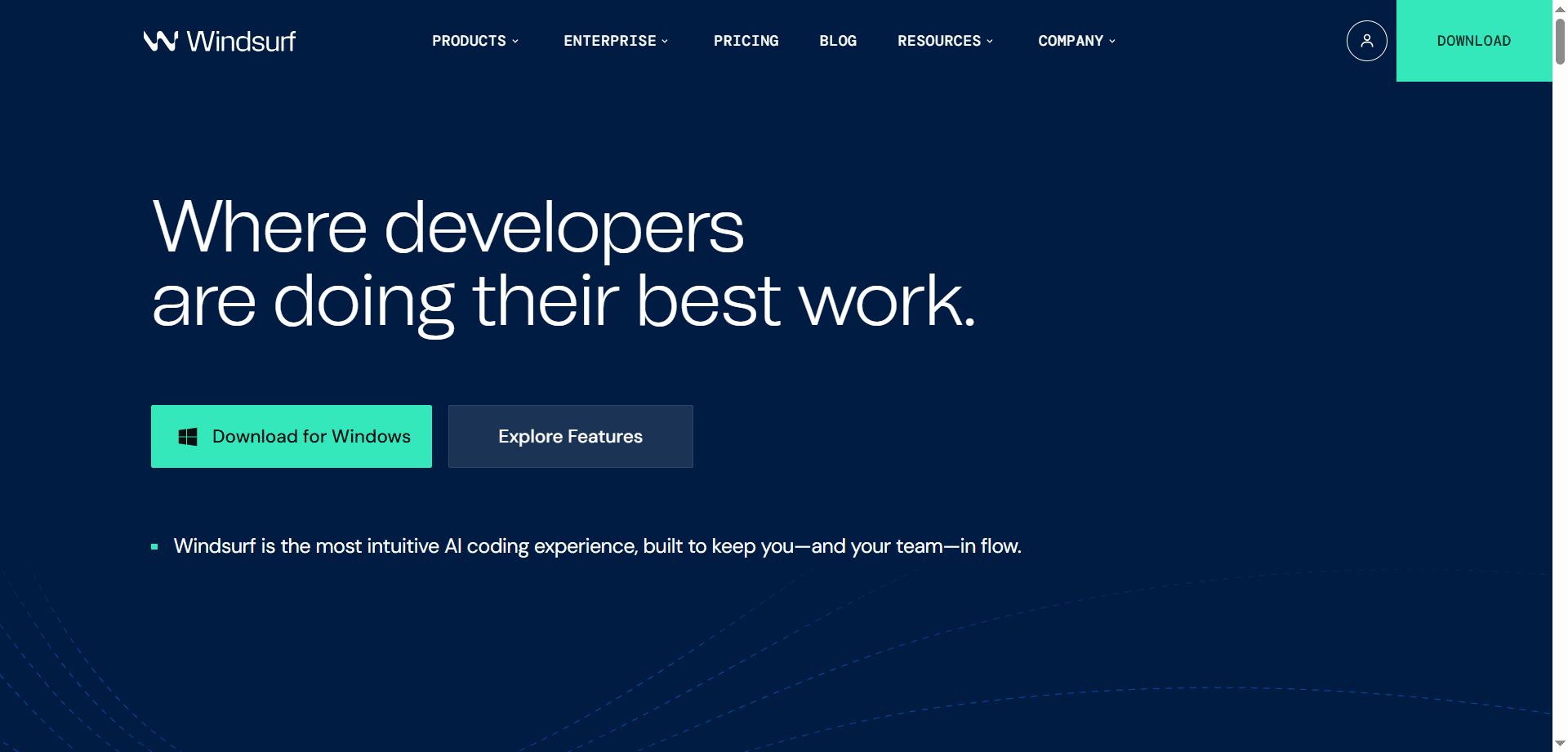
Windsurf has gained significant traction for its sophisticated "Cascade" agent logic that understands the flow of your development process beyond just code. It monitors linting errors, test failures, build issues, and deployment logs, acting more like an experienced teammate than a simple code generation tool.
When Windsurf detects a linting error, it doesn't just fix that single issue—it understands whether the error indicates a broader pattern problem and suggests architectural improvements. When tests fail, it analyzes the failure context to determine whether it's a test issue or a legitimate bug, then addresses the root cause.
This flow awareness means Windsurf can autonomously handle much of the routine maintenance that consumes developer time. It catches issues early, suggests improvements proactively, and maintains code quality standards without requiring constant human oversight.
For teams prioritizing code quality and maintainability, Windsurf acts as a tireless teammate ensuring standards are maintained even during rapid development cycles.
GitHub Copilot (Enterprise X) : From Assistant to Autonomous Contributor

GitHub Copilot has evolved dramatically from its origins as a code completion tool. The 2026 Enterprise X version features Agent Mode, which can take a GitHub Issue, create an implementation plan, write all necessary code, and submit a Pull Request for human review.
This autonomous workflow means developers can assign straightforward issues to Copilot Agent Mode and wake up to completed PRs ready for review. The agent handles not just the code changes but also writes commit messages, updates documentation, and ensures tests pass before submitting the PR.
The integration with GitHub's ecosystem means Copilot understands your repository's conventions, follows established patterns, and maintains consistency with your existing codebase. It learns from previous PRs what your team considers quality work and adapts its implementations accordingly.
For development teams with backlogs of straightforward feature requests or bug fixes, Copilot Agent Mode provides a way to maintain velocity without expanding headcount or burning out existing developers.
Devin (Cognition Labs) : The First True AI Engineer
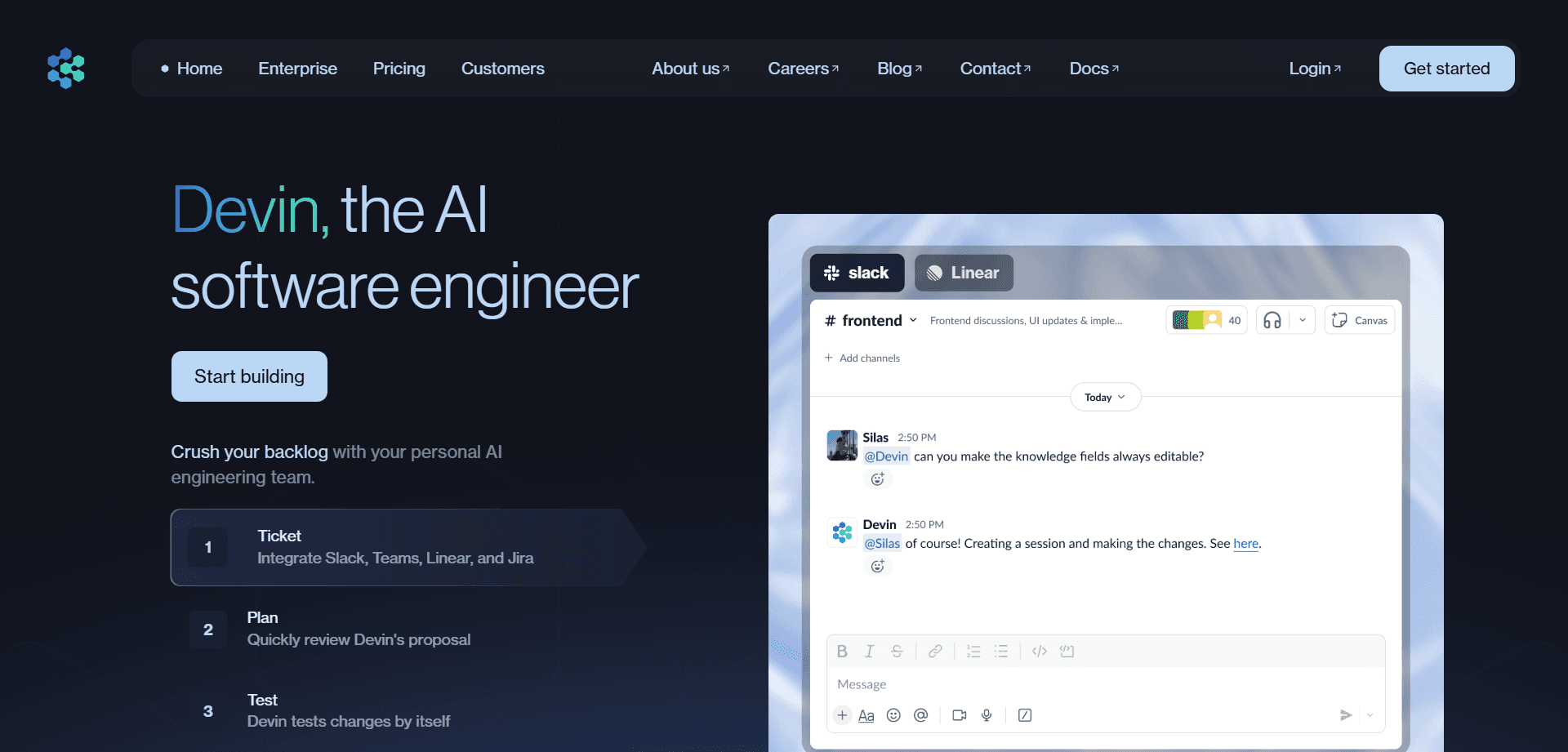
Devin represents a breakthrough in autonomous engineering capability—the first AI system that can genuinely function as an independent software engineer. Unlike tools that assist developers, Devin can take on entire projects from specification through deployment with minimal human intervention.
What makes Devin remarkable is its ability to learn new technologies on the fly. If your project requires a library or framework Devin hasn't encountered, it will read the documentation, understand the concepts, and apply them correctly. When it encounters errors, it debugs its own code, tests solutions, and iterates until the problem is resolved.
In 2026, development teams commonly assign Devin the "boring but necessary" tasks that skilled engineers resent: legacy code migrations, dependency upgrades, converting deprecated API calls, and similar maintenance work. Devin handles these tasks autonomously, freeing human engineers for more interesting challenges.
The system can even deploy applications to cloud platforms, handling the entire DevOps workflow from containerization through production deployment. For startups and small teams, Devin provides engineering capacity that would otherwise require multiple additional hires.
Claude Code : Deep Reasoning for Complex Challenges

Claude Code takes a different approach from visual IDEs, operating as a command-line native tool optimized for complex architectural reasoning. Developers interact with it through the terminal, using it for tasks requiring deep understanding of intricate codebases.
The tool excels at architectural reviews where it can analyze how different components interact, identify potential issues, and suggest improvements. When refactoring massive codebases where logic is intertwined across hundreds of files, Claude Code can reason about the implications of changes and ensure refactoring maintains correctness.
This CLI-first approach appeals to developers who prefer terminal workflows and need powerful reasoning without leaving their command line environment. Claude Code integrates seamlessly with git workflows, allowing developers to review changes, understand impact, and make informed decisions about complex modifications.
For senior developers and architects tackling challenging technical debt or planning major refactoring efforts, Claude Code provides the analytical capability to understand complex systems and plan changes confidently.
Pydantic AI : Type-Safe AI Integration
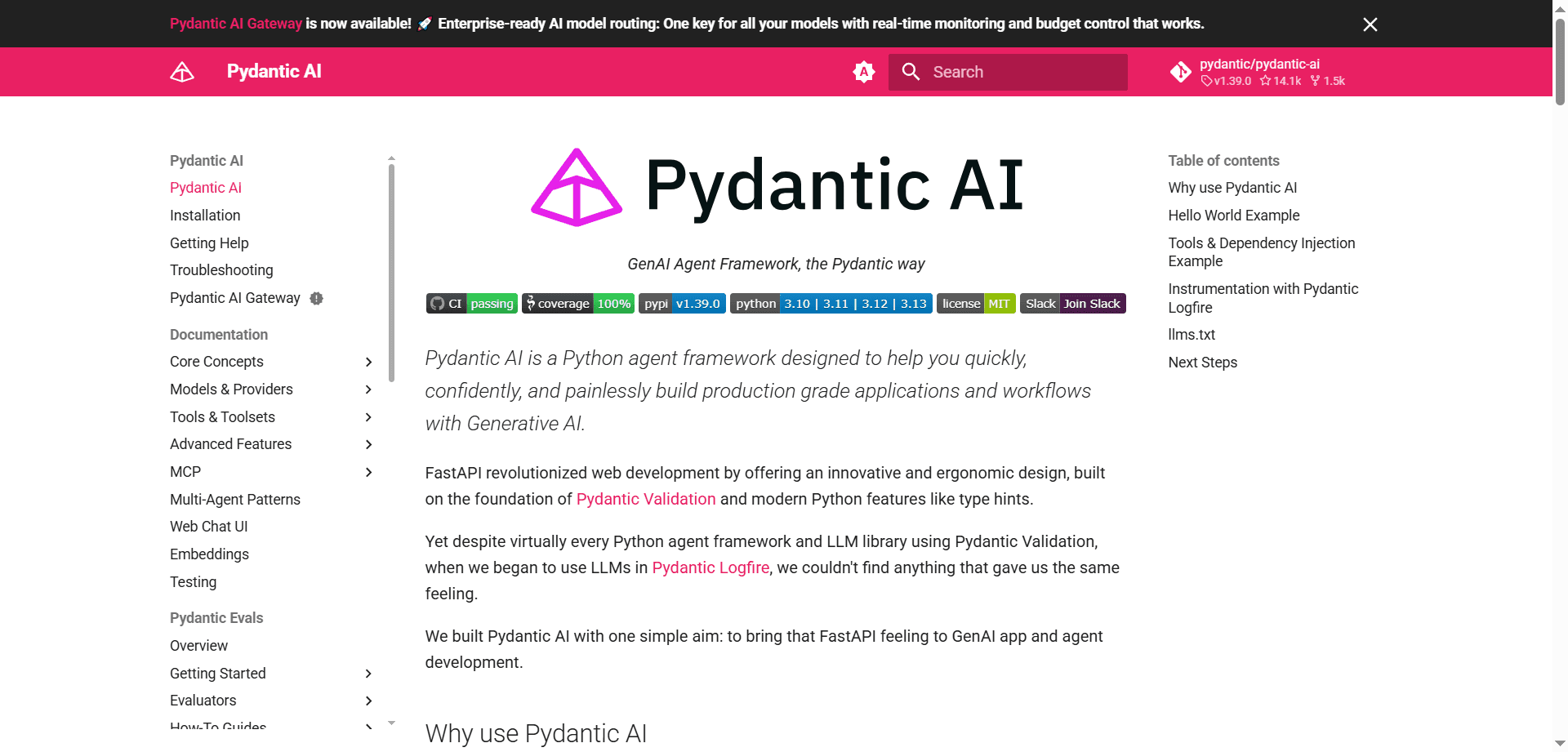
As developers increasingly integrate AI capabilities into their applications, Pydantic AI has emerged as the trending framework ensuring AI-generated data remains reliable and production-ready. The framework addresses a critical challenge: AI models can "hallucinate" or produce data that doesn't match expected schemas, potentially breaking production systems.
Pydantic AI enforces type safety and validation on AI outputs, ensuring that data generated by language models conforms to your application's requirements. If an AI model attempts to return a string where an integer is required, Pydantic AI catches this before it reaches your application logic.
This deterministic behavior is essential for production AI applications where reliability matters. You can integrate AI capabilities knowing that even if the AI produces unexpected outputs, your application won't crash or corrupt data due to type mismatches.
For developers building AI-powered features—from chatbots to content generation to data analysis—Pydantic AI provides the guardrails necessary to deploy AI capabilities confidently in production environments.
Qodo (formerly CodiumAI) : AI-Driven Test Generation
Qodo has established itself as the leader in AI-powered test-driven development. The tool analyzes your code logic and automatically generates comprehensive edge-case tests, achieving meaningful coverage without requiring developers to write boilerplate test code.
What distinguishes Qodo from simple test generators is its understanding of code semantics. It doesn't just create tests that execute your code; it generates tests that verify your code behaves correctly in edge cases you might not have considered. It identifies boundary conditions, null cases, error scenarios, and integration points that need testing.
This intelligent test generation means developers can practice true test-driven development without spending hours writing test scaffolding. Qodo ensures comprehensive coverage while developers focus on implementing features and verifying that generated tests accurately reflect intended behavior.
For teams prioritizing code quality and reliability, Qodo provides the testing rigor of senior engineers without the time investment typically required for comprehensive test suites.
CloudBees Smart Tests : Predictive Test Execution
CloudBees Smart Tests uses machine learning to revolutionize CI/CD pipelines by predicting which tests are most likely to fail based on recent code changes. Instead of running entire test suites on every commit, the system intelligently selects the tests most relevant to your changes.
This predictive approach dramatically reduces CI/CD pipeline time. If you've modified authentication logic, CloudBees prioritizes auth-related tests while deprioritizing unrelated tests. The system learns from historical data which types of changes typically affect which tests, becoming more accurate over time.
For large codebases with extensive test suites where full test runs take hours, CloudBees Smart Tests makes continuous integration practical by reducing test time from hours to minutes while maintaining confidence that relevant tests are executed.
Meticulous : Visual Regression Testing for Frontend

Meticulous addresses a persistent challenge in frontend development: ensuring UI changes don't break existing functionality. The tool records actual user sessions and uses AI to convert them into visual regression tests that remain stable despite CSS refactoring.
Traditional visual regression tests often break when you rename CSS classes or restructure HTML, even when visual appearance remains unchanged. Meticulous understands visual intent rather than implementation details, maintaining test validity through refactoring.
This resilience means frontend teams can confidently refactor CSS and HTML structure without spending hours updating test suites. The AI-generated tests verify that user interactions still work correctly and UI elements appear as expected, regardless of underlying implementation changes.
For frontend developers maintaining complex user interfaces, Meticulous provides regression protection without the brittleness that makes many teams abandon visual testing.
Mintlify : Real-Time Intelligent Documentation
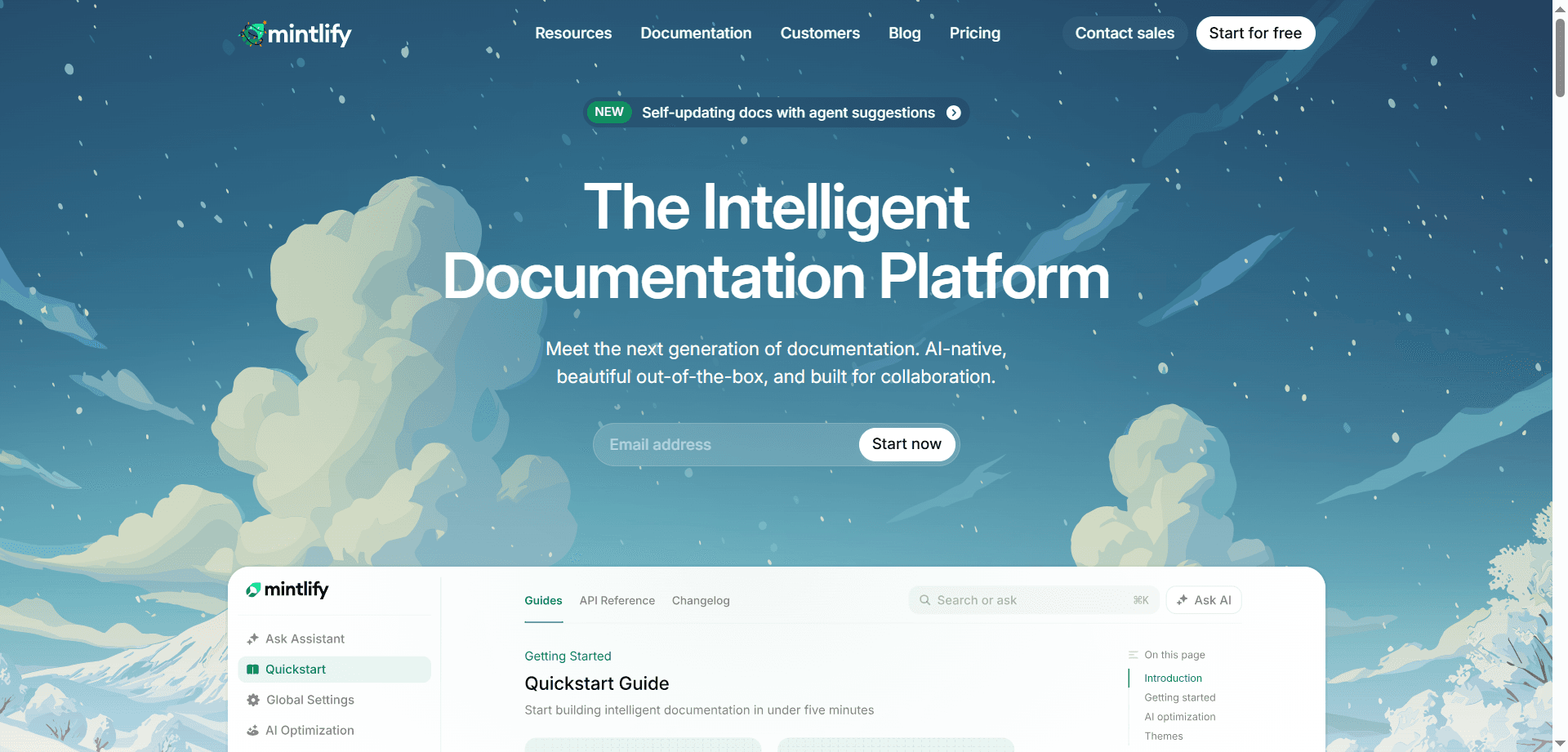
Mintlify has become the standard for developer documentation in 2026 by transforming documentation from a periodic manual task into a continuous automated process. The tool scans your codebase in real-time, automatically updating public-facing documentation as code changes.
Beyond simple doc generation, Mintlify creates interactive diagrams showing how APIs interact, generates usage examples for new endpoints, and maintains accurate parameter descriptions as function signatures evolve. The system understands code semantics well enough to write documentation that explains not just what functions do, but why and how to use them effectively.
This real-time synchronization means documentation never falls out of date—a common problem that undermines documentation usefulness. Developers can confidently refer colleagues and users to documentation knowing it accurately reflects current code state.
For teams building APIs, libraries, or any developer-facing products, Mintlify ensures documentation quality that would otherwise require dedicated technical writers.
Sourcegraph Cody : Enterprise Code Intelligence

Sourcegraph Cody specializes in answering natural language questions about large, complex codebases—particularly valuable for enterprise environments with years of accumulated code across multiple repositories. You can ask questions like "How do we handle authentication in the legacy payments service?" and receive cited answers instantly.
The tool understands not just individual code files but the relationships and patterns across your entire codebase. It can trace request flows through multiple services, identify where specific business logic is implemented, and explain architectural decisions encoded in code structure.
This code intelligence is invaluable when onboarding new developers, debugging issues in unfamiliar code, or making changes to systems where original developers have moved on. Cody provides institutional knowledge that would otherwise exist only in senior developers' heads.
For large engineering organizations with extensive codebases, Cody democratizes code understanding, allowing any developer to quickly comprehend systems they didn't build.
Pieces for Developers : Context-Aware Knowledge Management
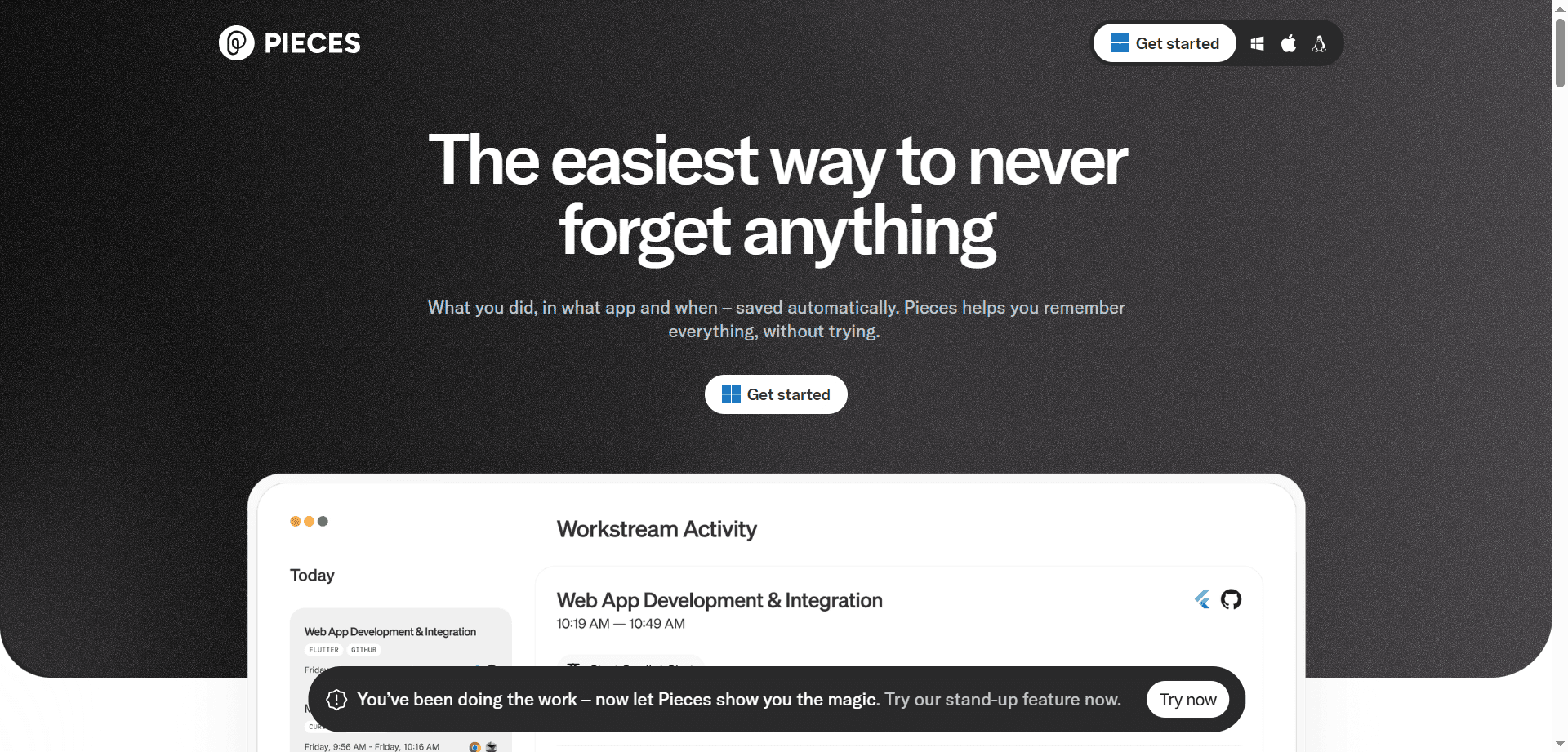
Pieces for Developers acts as a workstream capture tool that records code snippets, terminal commands, and research links with full context preservation. Unlike simple snippet managers, Pieces remembers when and why you saved something, what problem you were solving, and related information.
This context recall makes knowledge sharing dramatically more effective within remote teams. When you share a snippet with a colleague, they receive not just the code but the surrounding context—what problem it solves, what alternatives you considered, and relevant documentation links.
For distributed teams where informal knowledge transfer through hallway conversations doesn't happen, Pieces provides a structured way to capture and share contextual knowledge that would otherwise be lost.
Cursor - Role: Primary IDE
Best For: Rapid feature building and multi-file edits. Ideal for full-stack development where frontend and backend changes need coordination.
Devin - Role: Agentic Worker
Best For: Handling low-priority tickets, maintenance tasks, dependency upgrades, and legacy code migrations. Takes on the boring-but-necessary work.
Claude Code - Role: Architect Assistant
Best For: Refactoring complex systems, solving intricate logic bugs, conducting architectural reviews, and planning major technical changes.
Qodo - Role: Quality Gatekeeper
Best For: Auto-generating comprehensive unit tests and identifying edge cases in code reviews. Ensures quality without manual test writing.
Windsurf - Role: Development Flow Manager
Best For: Maintaining code quality throughout the development process, catching issues early, and ensuring consistency across the codebase.
Mintlify - Role: Documentation Maintainer
Best For: Keeping documentation synchronized with code changes and generating API documentation automatically.
Successfully integrating AI agents into your development workflow requires thoughtful orchestration. The most effective approach treats different agents as specialized team members, each handling tasks suited to their strengths.
Start with Cursor for initial feature implementation. Let it generate the multi-file changes needed across your stack. Use Qodo to automatically generate comprehensive tests for the new functionality. Review both implementation and tests, making adjustments where the AI misunderstood requirements.
Assign Devin the backlog of maintenance tasks—dependency upgrades, deprecated API migrations, and similar work that's necessary but not intellectually engaging. Let it autonomously handle these tasks while human developers focus on feature work.
When planning major refactoring or architectural changes, use Claude Code to analyze the current state, identify issues, and plan changes. Its deep reasoning capability helps ensure refactoring efforts address root causes rather than symptoms.
Configure Qodo to automatically generate tests for new code. Use CloudBees Smart Tests to optimize CI/CD pipeline execution. Implement Meticulous for frontend regression protection. This multi-layered approach ensures quality without manual testing overhead.
Use Pieces to capture useful snippets, commands, and research with context. Leverage Sourcegraph Cody to answer questions about existing codebases. Keep documentation current automatically with Mintlify.
Effectively working with AI agents requires developing new skills beyond traditional programming. The most successful developers treat AI agents as junior teammates requiring clear direction and appropriate oversight.
AI agents work best when given complete context. When asking Cursor to implement a feature, describe not just what you want but why, how it fits into the broader system, and any constraints or preferences. The more context you provide, the better the output.
Review AI-generated code as you would a junior developer's work—looking for correctness, maintainability, and adherence to standards, but not expecting perfection on the first try. Provide feedback that helps the AI improve its output through iteration.
Match tasks to agent strengths. Use Cursor for rapid implementation, Claude Code for complex reasoning, and Devin for autonomous task completion. Don't expect every tool to excel at everything.
While AI agents can handle implementation autonomously, humans should retain responsibility for architecture, product decisions, and complex trade-offs. Use agents to scale your capacity, not replace your judgment.
AI tools improve rapidly. Stay current with new capabilities and adjust workflows to leverage improvements. What required manual work last month might be automatable today.
Integrating AI agents into development workflows raises important security and quality considerations that teams must address proactively.
AI-generated code requires careful review. While AI agents produce functional code, they may introduce security vulnerabilities, performance issues, or maintainability problems a human wouldn't. Establish clear review standards for AI-generated code.
Ensure AI tools don't have access to production credentials or sensitive data they don't need. Use proper secret management and limit agent access appropriately.
When AI agents suggest dependencies or libraries, verify they're actively maintained, secure, and from trusted sources. AI might suggest packages with known vulnerabilities or from questionable sources.
While AI-generated tests provide coverage, ensure they test meaningful scenarios rather than just executing code paths. Review generated tests to verify they catch the bugs you care about.
Monitor that AI agents maintain architectural patterns and conventions. Without guidance, agents might solve problems in ways inconsistent with your system's design philosophy.
The financial implications of agentic engineering are profound, changing how organizations think about development capacity and costs.
Teams using AI agents report 2-5x improvements in feature delivery speed, primarily by eliminating implementation tedium. This velocity improvement allows smaller teams to accomplish what previously required significantly larger headcount.
Autonomous handling of maintenance tasks, upgrades, and technical debt dramatically reduces the percentage of engineering time spent on non-feature work. Teams can maintain larger codebases with fewer developers.
New developers become productive faster when AI agents handle routine implementation and tools like Sourcegraph Cody answer questions about unfamiliar code. Onboarding time decreases while new developer output increases.
Automated test generation and continuous quality checking reduce bugs reaching production, avoiding the high cost of production issues and emergency fixes.
While individual AI tools aren't expensive (typically $10-50 per developer monthly), comprehensive agentic workflows involve multiple tools. Organizations should budget $100-200 per developer monthly for a complete AI toolchain.
The ROI typically justifies costs within the first month as increased velocity and reduced maintenance burden outweigh tool expenses.
The rise of agentic engineering raises questions about skill development for developers. The most successful approach views AI agents as tools that enhance rather than replace learning.
Understanding computer science fundamentals, architectural patterns, and software design principles becomes more valuable, not less. You need strong foundations to effectively direct AI agents and review their output.
Developers need to learn prompt engineering, AI agent coordination, and effective code review of AI-generated output. These skills complement rather than replace traditional development capabilities.
AI agents allow developers to experiment more rapidly, trying different approaches and learning from results faster than traditional development. This accelerates learning for those who use it intentionally.
Less time implementing routine features means more time available for learning advanced concepts, exploring new technologies, and developing architectural thinking. AI agents free mental energy for higher-level learning.
New developers should still learn to code without heavy AI assistance initially, developing foundational skills before leveraging AI agents. Once fundamentals are solid, AI tools accelerate growth.
The trajectory of agentic engineering points toward increasingly sophisticated AI agents capable of handling more complex and creative tasks. Several trends are emerging:
Future systems will coordinate multiple specialized agents working together on complex projects, much like human development teams. One agent might handle frontend, another backend, a third testing, with a coordinating agent ensuring coherence.
AI systems will increasingly handle entire features from product requirement through deployment, with humans focusing on product strategy and architectural decisions.
Development processes and tools will be redesigned from scratch for AI-first workflows rather than adapting traditional processes. This will unlock efficiencies not possible with current approaches.
AI tools will adapt to individual developer preferences, learning your coding style, architectural preferences, and productivity patterns to provide increasingly personalized assistance.
As AI agents handle more implementation complexity, creating software will become accessible to more people. The line between "developer" and "technical product manager" will blur.
The developers thriving in this future will be those who embrace AI as a force multiplier while maintaining the judgment, creativity, and architectural thinking that remains distinctly human. The goal isn't replacing developers but augmenting their capabilities to accomplish what's currently impossible with purely human teams.
Software development in 2026 represents the early stages of a fundamental transformation. The teams and individuals adapting quickly to agentic engineering are achieving productivity levels that seemed impossible just years ago. This isn't about working longer hours or compromising quality—it's about letting AI agents handle routine implementation while human developers focus on the creative, strategic, and complex aspects of building software that only humans can do well.
The future of development isn't developers versus AI—it's developers working with AI to build better software faster while maintaining the craft, creativity, and careful thought that makes great software possible.
Discover the essential AI tools dominating 2026 that will transform your productivity. From ChatGPT to Cursor, learn which tools will help you work faster and smarter.

Discover the top AI tools revolutionizing content creation in 2026. From video editing to social media management, learn which tools will transform your creative workflow.

Discover how modern professionals are transforming from manual app-switching to AI-powered integrated orchestration. Learn the tools and strategies that eliminate workflow friction and multiply daily productivity.
Discover the top AI tools revolutionizing content creation in 2025. From video editing to social media management, learn which tools will transform your creative workflow.